PiNT Desktop
What’s behind this port?
Discover your connected switch port with LLDP/CDP, find local devices and inspect your link.
WINDOWS + macOS1.6.0 Stable
Explore LLDP discovery Downloads & setup ↓Pi NETWORK TOOLS / BUILT FOR ENGINEERS
Free LLDP/CDP discovery and multi-switch polling tools.
Find your port. Turn switch data into Excel documentation.
Read the name and port advertised by the connected switch.
LLDP / CDP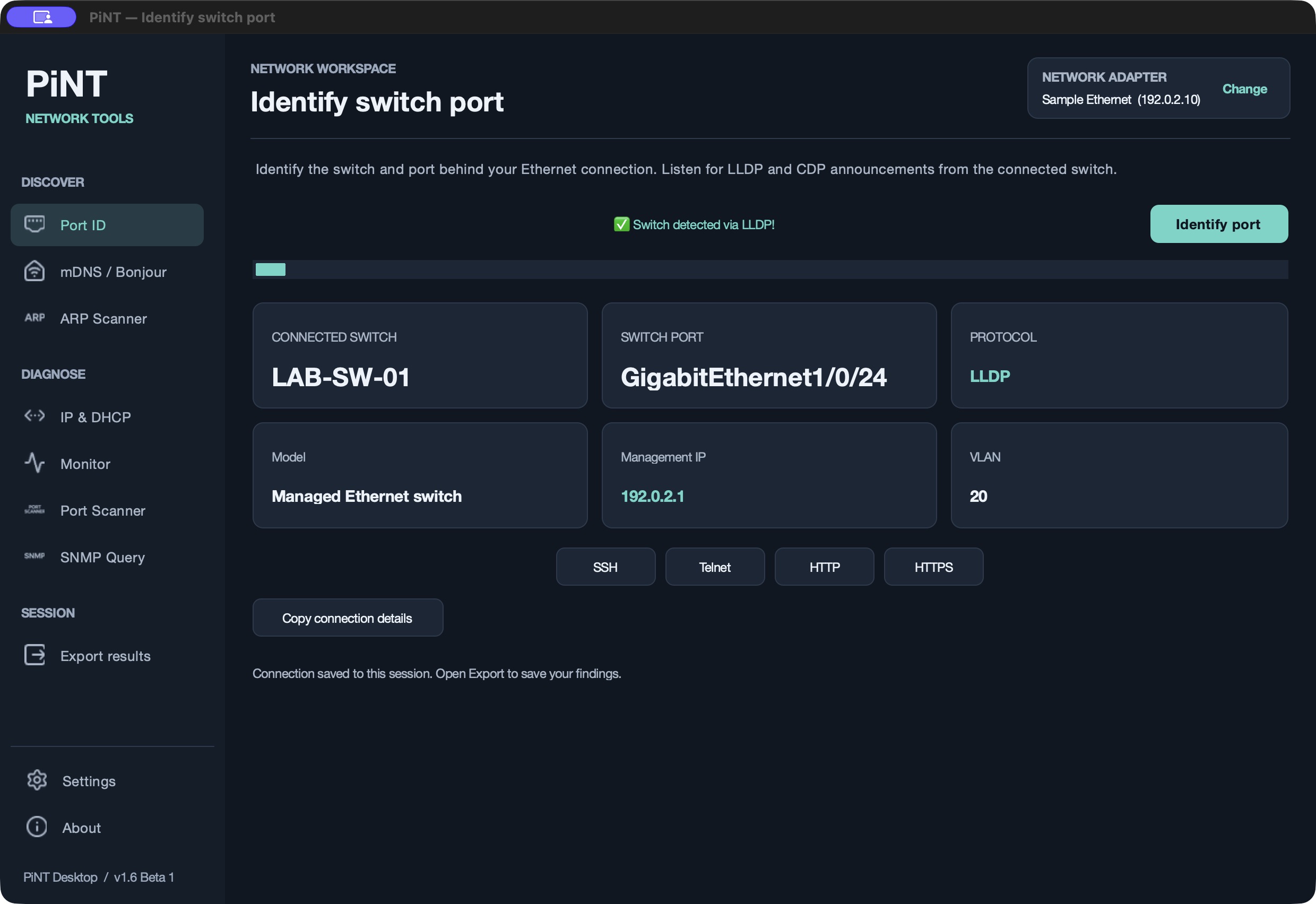
Real app. Sample data. Desktop 1.6 Beta 1 on macOS.
Port identification requires LLDP/CDP advertisements from the connected switch.
THE TOOLKIT
Pick the job. Meet the tool.Discover a port, document a site, connect to a device or build your next field companion.
What’s behind this port?
Discover your connected switch port with LLDP/CDP, find local devices and inspect your link.
What’s across this site?
Poll supported switches, enrich MAC records with ARP and DHCP data, and export Excel documentation.
Ready to connect?
Group your SSH/Telnet devices, share credentials, transfer files with FTP/SFTP and keep encrypted recordings.
Taking it into the field?
Build your own Raspberry Pi companion from source. Connect by phone through its local Wi-Fi hotspot.
Desktop 1.6.0, Live 0.7.0 and Terminal 0.2.0 are stable releases. Check each app’s page for platform requirements and current limitations.
FROM CONNECTION TO DOCUMENTATION
Useful alone. Better together.Listen for LLDP/CDP with Desktop. Read the switch name and advertised port details.
Explore Port ID ↗Browse mDNS services and scan for responding IPv4 devices with ARP. Export the records.
Explore discovery ↗Poll switches with Live. Match MAC entries to supplied ARP and DHCP records, then export linked worksheets.
Explore the Live workflow ↗Workflow illustrations use sample data. ARP discovery stays within the local Layer 2 network. A learned MAC can belong to a device behind another switch or access point.
DESKTOP + LIVE / BETTER TOGETHER
Bring PiNT Desktop’s ARP scan into PiNT Live. Add IP addresses and available hostnames to matching switch records in your Excel documentation.
01 / SCAN & EXPORT
Scan the local IPv4 network, then export the ARP results as a separate workbook.
Import the ARP workbook into Live. It matches those MAC addresses to the ones learned by your switches.
03 / EXPORT WITH CONTEXT
The switch and port record, with another layer of detail from your supplied ARP data.
Matching ARP detail included.
Illustrative records. ARP discovery stays within the local Layer 2 network. Missing matches stay blank in the export; hostnames depend on what is available. A learned MAC can be behind another switch or access point, so it does not prove a direct connection.
Explore the Live workflow ↗BUILT IN THE OPEN
PiNT started with a practical question: “What’s at the other end of this cable?”
Built by Reece, refined with Codex and shared with the networking community. Local tools, readable results and source you can inspect.
ON THE DRAWING BOARD
PiNT LiveScan for Pi-based ARP collection. PiNT Beacon for Wi-Fi visibility.
Planned projects. No release dates yet.Follow development ↗A COUPLE OF QUICK ANSWERS
Choose PiNT Desktop for LLDP/CDP discovery from your laptop. Choose PiNT Live for multi-switch polling and an Excel handover. Choose PiNT Terminal for grouped SSH/Telnet connections, FTP/SFTP transfers and encrypted recordings. Choose Hardware if you want to build a Raspberry Pi field unit.
No. Pi Network Tools is an independent collection of networking utilities for engineers and technicians.
Open an issue in the relevant GitHub repository with your tool version, platform and reproduction steps, or email reece@pinetworktools.com. Remove credentials and sensitive network details before sharing logs.