In action
Open-source field utilities for network engineers. Identify switch ports,
browse the network, document infrastructure, without the overhead of
enterprise tooling.
LLDP/CDP port identifier, mDNS browser, IP/DHCP info, port monitor, ARP scanner, port scanner, SNMP query and session export. v1.5 makes mDNS IP detection fully passive, reading the sender's IP straight from the packet. Single .exe, no install required.
Download ↗A Pi-based network appliance. Plug into any switch port, connect to the PiNT WiFi hotspot, and see switch details, DHCP scope, mDNS devices and cable health from your phone. v0.3 adds optional kiosk mode on a 3.5" MPI3501 touchscreen — fully standalone, no phone required.
View on GitHub ↗Automated multi-vendor network documentation with resilient switch polling, ARP enrichment, Ruckus LAG visibility and linked Excel exports. v0.6 adds beta LLDP/CDP neighbour discovery for Ruckus ICX.
View releases ↗ARP scanner for Raspberry Pi. Discovers all active hosts on the local broadcast domain and maps IP addresses to MAC addresses, building a complete L2/L3 device inventory for import into PiNT Live.
Wi-Fi scanner built for Raspberry Pi. Visualise 2.4 GHz and 5 GHz network density, identify congestion, and plan channel allocation.
Built for field technicians who need quick answers without complex tooling.
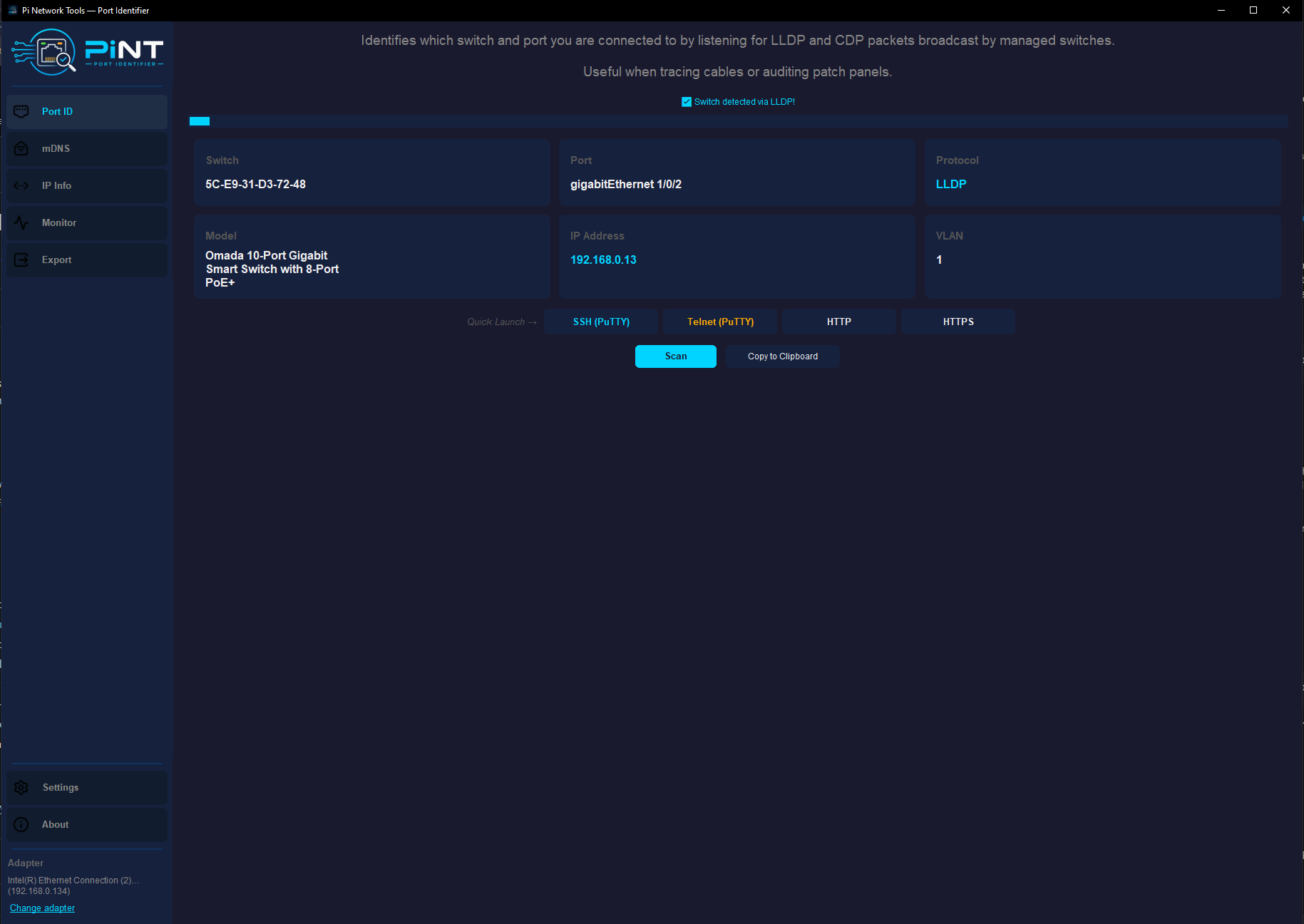
Live protocol detection for Cisco and all other vendors. Tested with TP-Link, Ruckus, UniFi and more.
Switch, port, protocol, model, IP and VLAN displayed as live info cards. Instant visual reference.
One-click SSH and Telnet via PuTTY, or open HTTP/HTTPS once a management IP is detected.
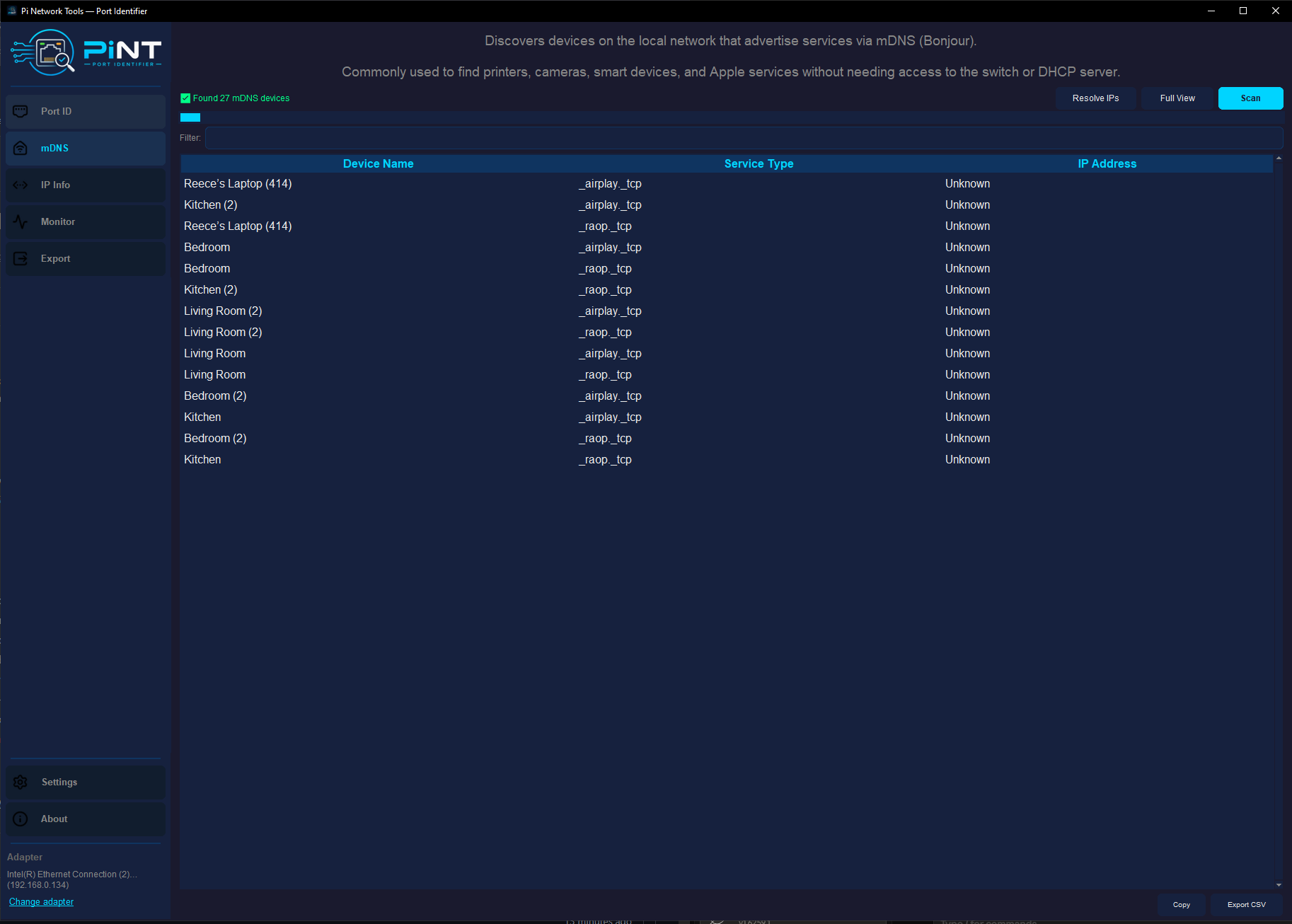
Discover devices broadcasting on the local network. Passive IP detection — sender's address read straight from the packet.
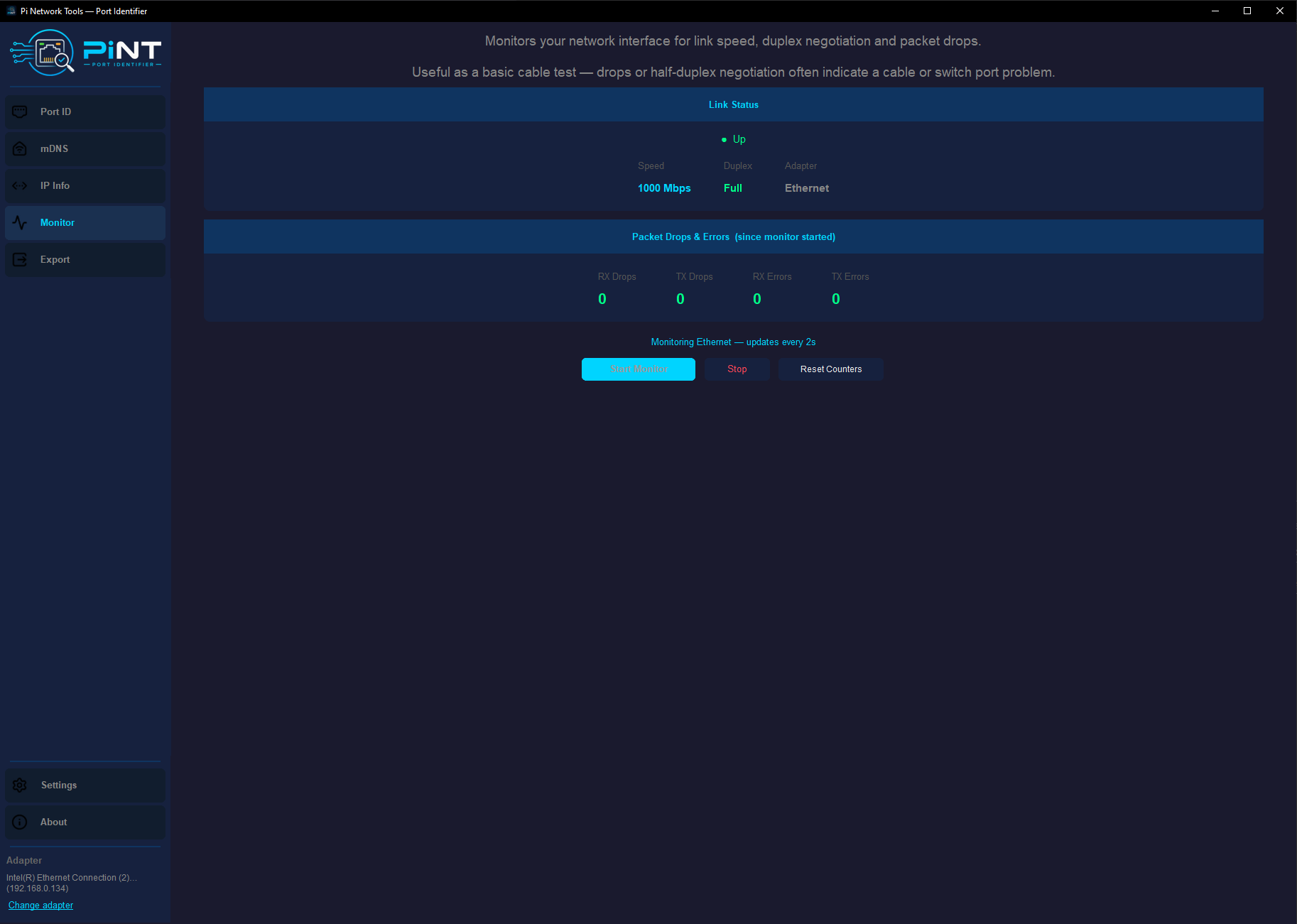
Negotiated link speed and duplex. Tracks dropped and errored packets for basic cable-test feedback.
Accumulate results across multiple scans and export as a single styled Excel workbook.
PiNT started as a Python vibe coding learning project, a practical tool to solve a real problem: quickly identifying switch ports on site without lugging around heavyweight software. It's grown into a small suite of field utilities built for people who actually do networking work.
Everything is open source, MIT licensed, and built with the networking community in mind. No telemetry, no accounts, no fluff.